Looking for a free Flova AI invitation code? Flova now uses personal referral links, but not every account gets one right away—you’ll need to meet a few basic requirements first. Share it with friends, and you may earn Credits when they sign up or buy their first membership. Here’s how the Flova AI invitation code works, what it can earn you, and where to find yours.
What Is a Flova AI Invitation Code?
The a invite code comes as a shareable referral link. If your account is eligible, you can send it to friends. When someone signs up through it, Flova tracks the referral and adds any rewards you qualify for under the current rules.
Flova did use access codes during its early beta. That system has since been retired. Be careful with websites or sellers offering old “free access codes.” A current invite link should come directly from Flova.
What Rewards Can You Get with a Flova Invite Code?
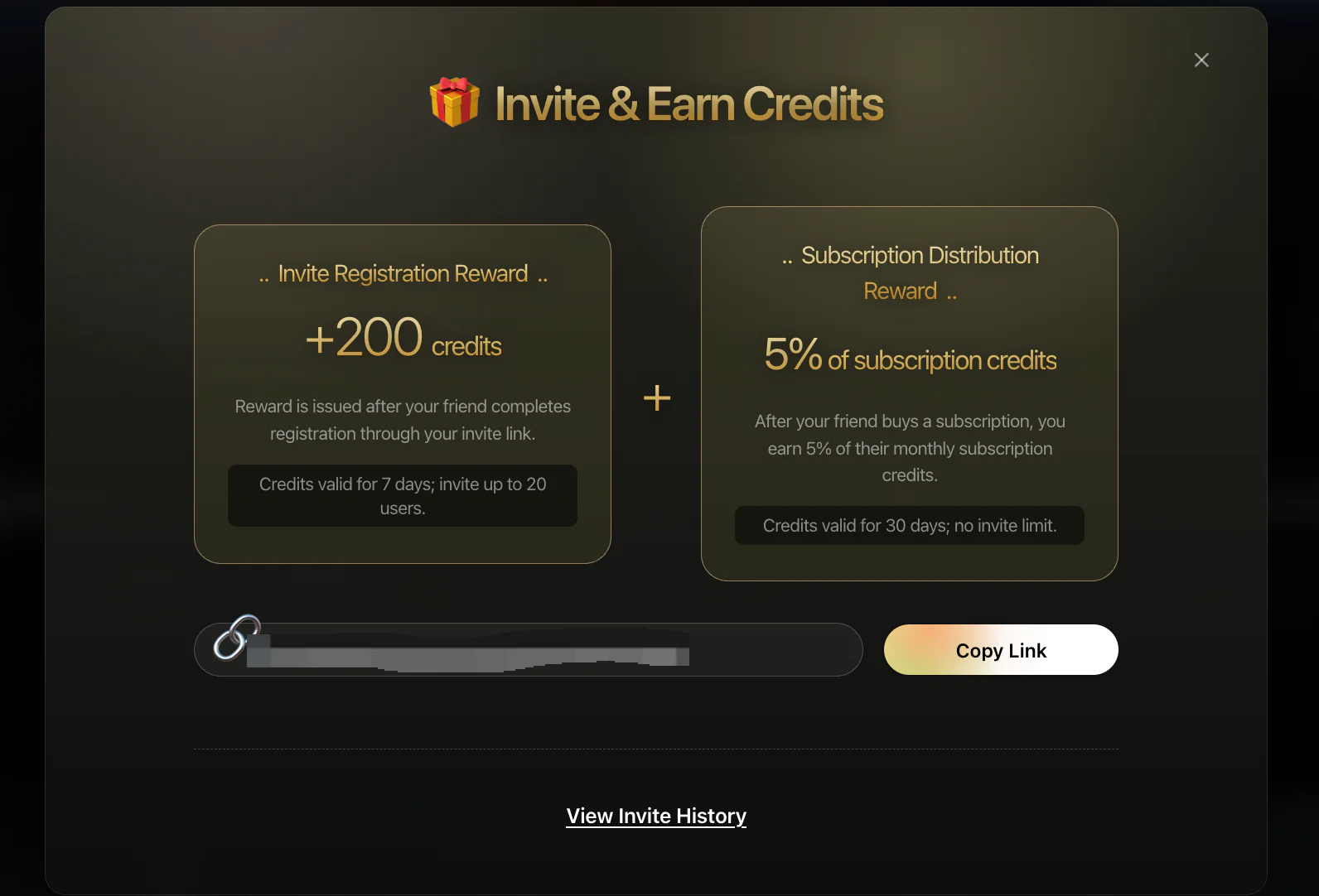
Rewards are paid in Flova Credits. You can spend them on eligible tools and models for images, videos, music, voiceovers, and other creative tasks. There are two ways to earn Credits through the invite program.
Get 200 Credits When your Friend Signs Up
You earn 200 Credits when a new user registers through your link. This reward applies to your first 20 referred friends. Each batch of Credits is valid for 7 days.
The sign-up offer is not available in every region. If the invite page does not appear in your account, the program may not be open to your location.
Get an Extra 5% When your Friend Subscribes
A second reward kicks in if your friend buys their first Flova membership within 30 days of registering through your link.
You receive 5% of the plan’s monthly base Credits. The bonus is valid for 30 days.
There is no limit to how many friends can qualify. However, total membership rewards are capped at 100,000 Credits. The purchase will not count if your friend has subscribed before or waits more than 30 days.
How to Unlock Your Free Flova Invitation Code
Before Flova gives you an invite link, you need to generate at least one image, video, or audio asset. This is also a quick way to get familiar with the platform.
Flova can create images, videos, music, and voiceovers in one project. It also offers reusable Skills and a CLI. Beginners can use a Skill as a ready-made creative workflow. More advanced users can connect Flova to an external Agent through the CLI.
For this tutorial, we’ll create a image and turn it into a short video.
Step 1: Sign In to Flova
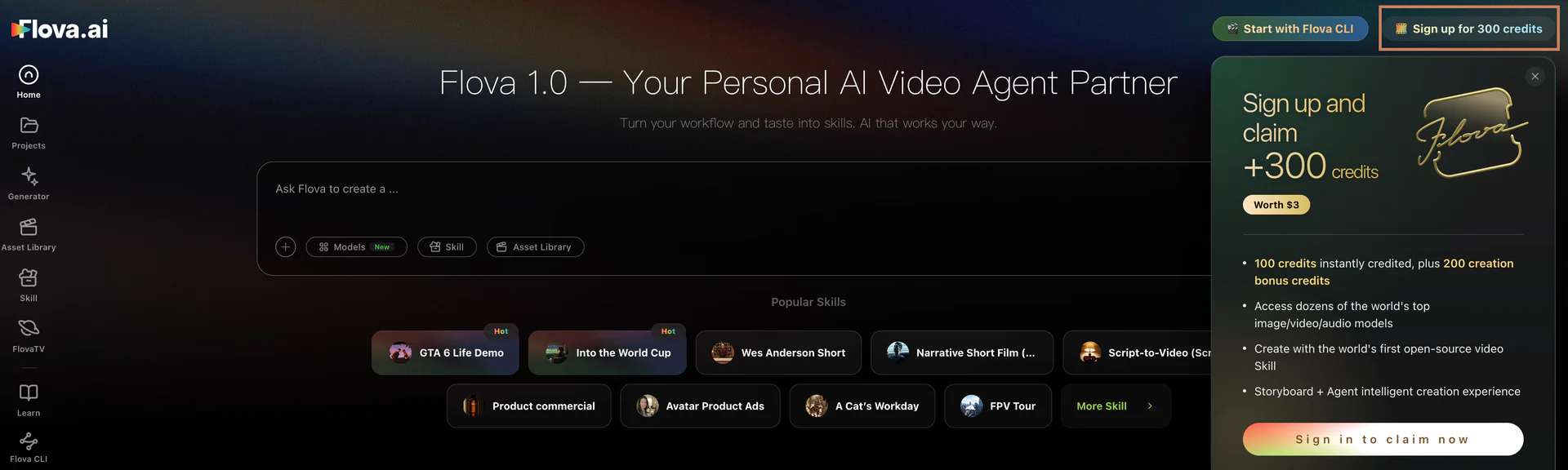
Open Flova and sign in with an email code or Google. Flova will create your account automatically on your first visit.
Step 2: Tell Flova your idea
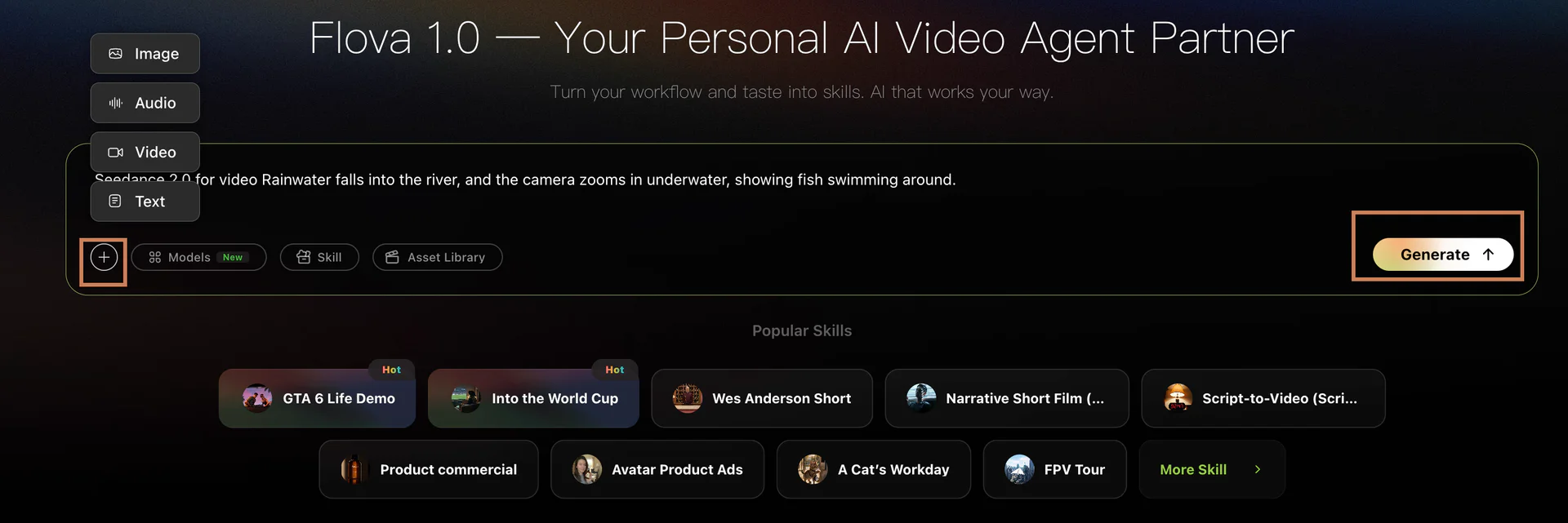
Enter the workspace and create a project. Then tell Flova what you want to make. There is no need to perfect the prompt. Give the Agent the main idea and let it help with the details.
For example: Create a vertical ad image for a coffee brand. Show a cup of hot coffee in warm morning sunlight.
Step 3: Generate Your First Asset
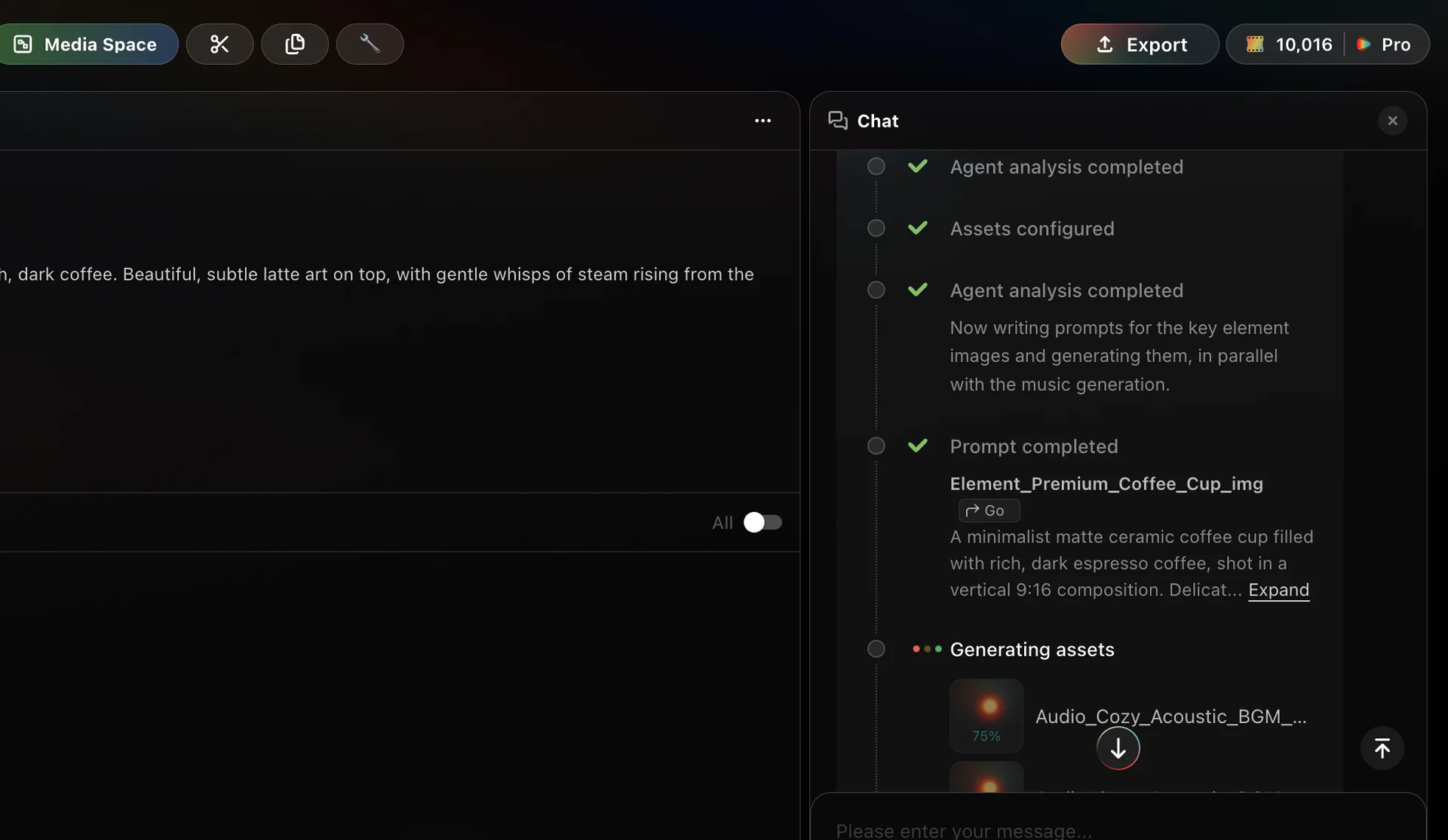
The Agent can refine your prompt before generating the image. Once the result appears, ask for changes in natural language or choose one of its suggested edits.
A finished generation unlocks the invite feature. Tips: Uploading a file or saving a draft does not count.
Return to the Flova home page and click the gift icon in the menu. Open the invite page and copy your personal link. It is now ready to share.
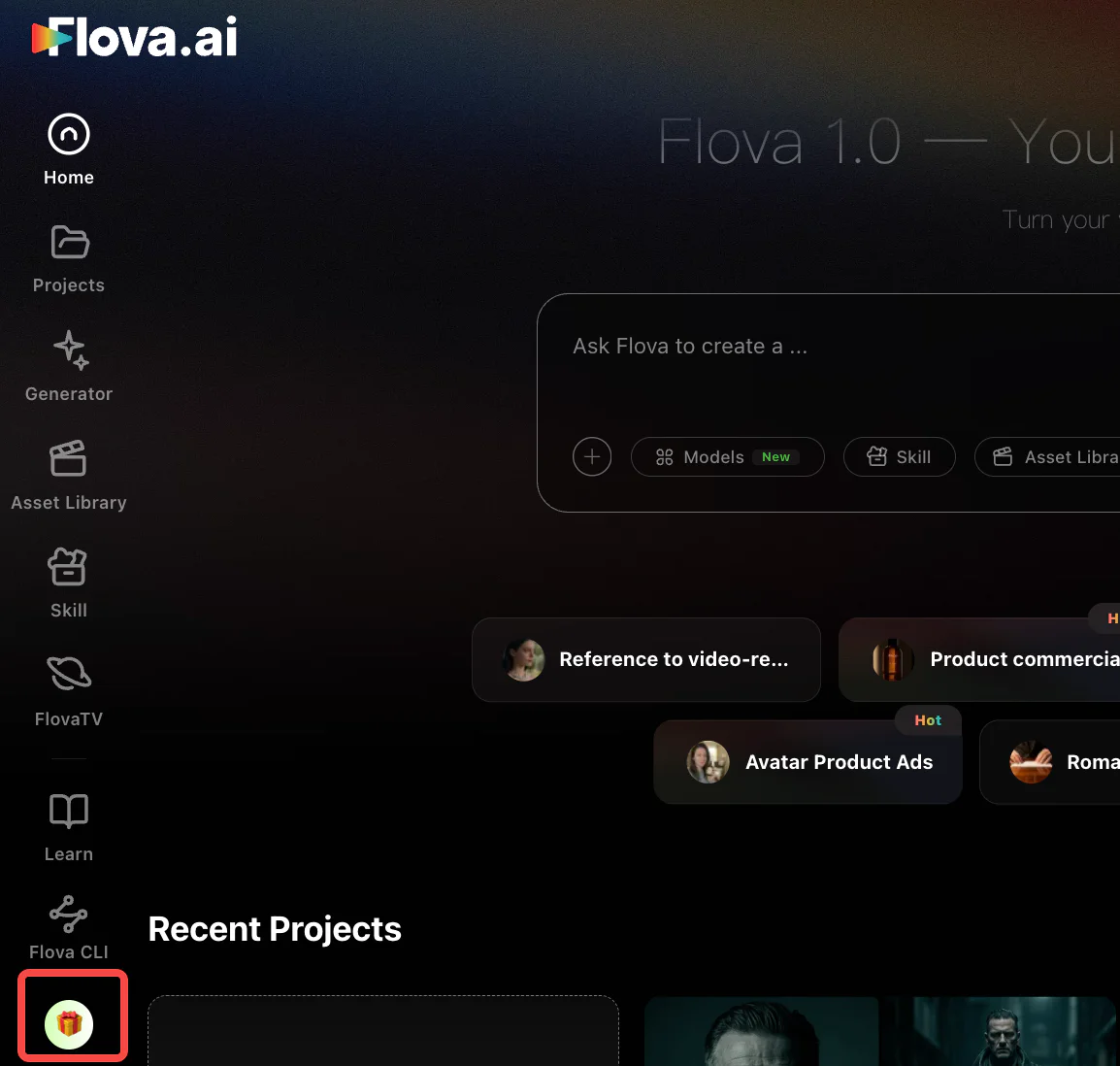
Step 4: Turn the Image Into a Video
Your invite link is already unlocked, and you can keep working on the video. Ask Flova to animate the image with a prompt like this: Turn this image into a short video. Pour milk into the coffee, then have someone pick up the cup.
The Agent will map out the movement and ask for any missing details. Review the plan, make your changes, and generate the clip.
When Won’t You Earn Rewards?
The following situations do not qualify for membership invite rewards:
- You use your own link to create another account.
- Your friend has previously purchased a Flova membership.
- Your friend subscribes more than 30 days after registering.
- Flova detects mass registrations, self-referrals, or other unusual activity.
⚠️ Flova may pause invite rewards if it detects abuse.
Conclusion
Want to unlock a free Flova AI invitation code? Start by making something in Flova. Type in a rough idea and let the Agent help shape it. Create an image, turn it into a video, then add music or a voiceover. Once your first asset is ready, share your invite link with a friend and earn rewards when they sign up.